
Dental Technology Guide · Updated July 2026
Private AI for Dental Clinics:
What It Is, How It Works, and Whether It’s Worth It
A patient’s chart, X-ray notes, or treatment plan is not something a front-desk assistant should ever paste into ChatGPT. Private AI solves that specific problem — giving a dental practice the speed of a modern AI assistant while keeping every patient record on hardware the practice actually owns. Here’s what that looks like in practice, what it costs to run, and where it genuinely falls short.
On this page
01 — Definition
What is private AI for a dental clinic?
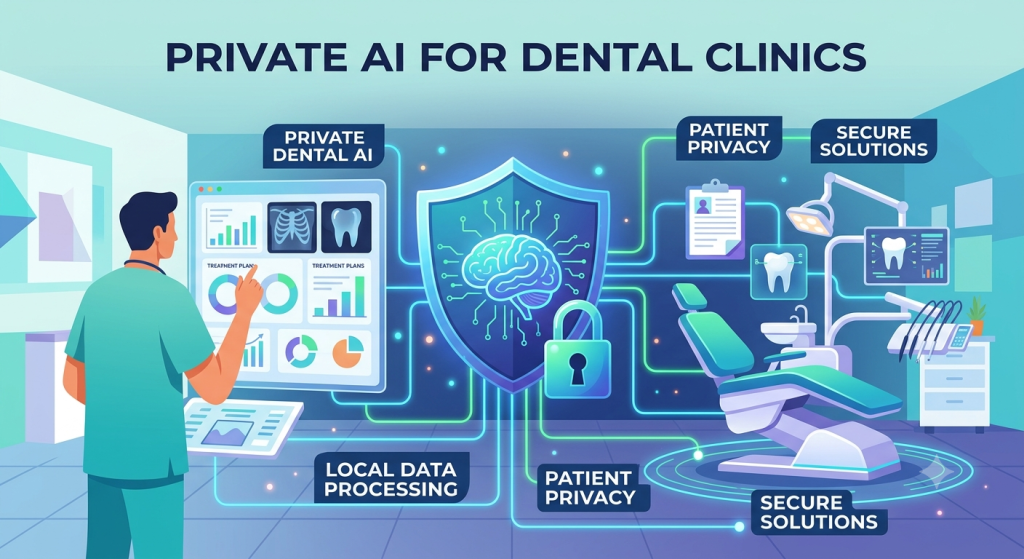
Private AI, in a dental context, means an AI assistant that runs entirely on hardware the practice owns, inside the practice’s own building, instead of on a cloud server belonging to OpenAI, Google, or any other outside company. When a hygienist asks it to summarize chart notes, or the front desk asks it to draft a recall letter, the question and the answer never leave the four walls of the clinic.
The physical piece behind it is sometimes called a local AI server or on-premise AI appliance — a small, dedicated computer that sits on the practice’s network the way a router or a backup drive already does. It arrives with the AI models already installed, and staff reach it from an ordinary browser, logging in with their own account exactly as they would with any cloud software.
The distinction matters because of what a dental practice actually handles every day: patient charts, treatment plans, insurance details, imaging notes, billing information. That’s protected health information, and a public AI chatbot was never built to receive it responsibly.
02 — Why it matters here specifically
Why dental practices specifically need this
Every practice wants the speed a modern AI assistant offers — faster chart summaries, faster patient letters, faster answers to routine questions. Very few can actually risk what it takes to get there with a public tool.
Pasting a chart into a public chatbot is a compliance problem, not a convenience
The moment a chart note, an imaging summary, or a lab result gets typed into a consumer AI tool, that data has left the practice’s control — a real problem under HIPAA and any signed Business Associate Agreement the practice has in place. It doesn’t matter how well-intentioned the person typing was; the exposure already happened. Even “enterprise” tiers of major cloud AI products, the ones promising not to train on submitted data, still route every message through that vendor’s infrastructure, subject to that vendor’s breach history, policy changes, and outages. A private system removes that vendor from the chain entirely — there is nothing to trust, because nothing left the office in the first place.
Subscriptions don’t scale well across a dental team
A practice with a dozen operatories, hygienists, and front-desk staff quickly finds that per-seat AI subscriptions add up — roughly $30 a head, per month, forever, at a price the vendor sets and can raise at renewal. A private AI appliance is typically purchased once and covers everyone on staff at no additional cost per login, for as long as the hardware keeps running.
It keeps working when the internet doesn’t
A clinic’s Wi-Fi going down, or a cloud AI vendor having an outage, shouldn’t mean the front desk loses its assistant mid-recall-letter. A private box keeps functioning on the practice’s own network regardless of what’s happening outside it.
The question every practice eventually has to answer about a cloud AI tool is: where does a patient’s information actually go once we hit send? Private AI is the version of that answer that doesn’t need a disclaimer.
03 — Mechanics
How it actually works, day to day
Nothing about the mechanics is exotic — it’s the same idea as any piece of office server hardware, just applied to AI instead of file storage or backups. The appliance plugs into the practice’s existing network like a printer would. Turn it on, and it starts serving a private web app at a friendly local address — anyone on the office Wi-Fi opens it in an ordinary browser and signs in with their own account.
From there, every request — summarizing chart notes, drafting a referral letter, answering a billing question — is handled entirely by the box’s own processor and memory. The AI model itself is a file that lives on that machine: it was trained on a vast amount of text before it ever arrived at the practice, and that learning is compressed into the model the way an experienced hygienist carries clinical knowledge around without needing to look everything up. General reasoning is built in from day one; anything specific to a particular patient comes from what the practice has actually uploaded.
A practice can choose how much reasoning power to run via an engine tier — a lighter engine for everyday drafting and quick lookups, a stronger one for reading scanned documents, imaging notes, or handwritten chart entries. Switching between them is instant, since every tier ships already loaded on the box.
Two things are worth being explicit about, because they’re the entire point of running this on-premise. First, a normal day of use — chatting, drafting letters, pulling answers from patient files — needs zero internet connectivity. Second, the only things that ever reach outside the practice are things the practice deliberately turns on: an optional web-lookup add-on for current information, an optional encrypted remote-access tunnel for providers working off-site, and a small license/update check that never carries patient content.
Upload once, answer forever
Drop a chart export, treatment plan, or policy document into the practice’s knowledge base a single time, and it becomes something the assistant can answer questions from — with the source cited — for every staff member from then on.
Roles keep records with the right people
Front-desk staff, hygienists, and clinicians each see only what their role requires, automatically — no separate setup needed per patient or per file.
04 — In practice
What it does across a patient visit
The assistant connects to the rest of the box, so it’s rarely starting from a blank page — it’s working from files the practice already has on hand.
Answers from the practice’s own patient files
Ask about a past visit, a treatment plan, or a note on an insurance policy, and it answers from the practice’s own knowledge base, citing the exact document it drew from — rather than guessing, or worse, searching the open internet.
Drafts recall letters, referrals, and after-visit summaries
Hand it a set of chart notes and it turns them into a clean recall letter, a referral note, or an after-visit summary written in the practice’s own voice — exported as a polished, ready-to-send PDF, not a rough draft that still needs formatting.
Flags things worth a second look
Summarizing notes since a patient’s last visit, it can flag a possible conflict — say, something in the current medication list worth reviewing — surfaced for a clinician to confirm, not to decide.
Follows a provider between locations
With the optional remote-access add-on turned on, the same assistant reaches a provider covering a second office or an on-call shift, over a private encrypted tunnel — no patient data ever touches a public server to make that possible.
05 — The case for it
The advantages
Set against both doing nothing and against a cloud AI subscription, a handful of advantages show up quickly once a practice is actually running one of these.
Where it wins
- Patient data never leaves the building — the single biggest reason practices consider this in the first place.
- No per-seat billing. Every hygienist, associate, and front-desk hire gets a login at no extra monthly cost.
- Keeps working through outages. Front-desk drafting and chart lookups don’t stop because the office Wi-Fi or a cloud vendor did.
- Answers cite their source. Every reply pulled from a patient file or policy document points back to exactly where it came from.
- Role-based access is automatic. A front-desk login simply can’t see what a clinician’s login can, with no manual setup per patient.
- One machine, one login system. Chat, drafting, a shared calendar, and a contacts directory all live under the same roof instead of five separate subscriptions.
Where it takes work
- Upfront cost instead of a monthly one. The appliance is paid for once, which is a bigger single decision than a $30-a-month trial.
- Someone has to own it locally. Even with minimal upkeep, a practice needs one person comfortable being the point of contact for the box.
- No native EHR integration out of the box. It reads and answers from uploaded documents; a direct connection to a practice’s EHR or PM software needs to be scoped separately.
- Hardware can fail. A warranty covers it, but a physical machine is still a physical machine, unlike a browser tab that just works from anywhere.
- The strongest reasoning tier needs real memory. Reading scans and handling long documents well calls for the higher-memory configuration, which costs more upfront.
06 — Reading the cons honestly
Where it falls short
None of this is a reason to avoid private AI outright, but a fair comparison means being straightforward about the trade-offs rather than skating past them.
It’s a bigger decision than starting a subscription
Cancelling a monthly AI subscription is a two-click decision. Buying an appliance is a heavier one — it needs a real upfront commitment, even though the three-year math tends to favor it decisively once a practice has more than a handful of staff on the payroll.
It won’t out-reason the very best cloud models on the hardest problems
For everyday practice work — drafting letters, summarizing charts, answering from a practice’s own files — a well-specced local AI is genuinely capable. On the very hardest, most open-ended reasoning tasks, the largest cloud models can still have a slight edge. For the kind of work a dental office actually does day to day, that gap rarely shows up in practice.
Someone needs to be the local point of contact
It isn’t an IT project, but it isn’t fully invisible either — someone at the practice should know how to reach support, keep an eye on updates, and manage who has access as staff come and go.
It doesn’t replace judgment
A drafted recall letter or a flagged medication conflict is a starting point a clinician reviews, not a final answer. Practices that treat it as a second opinion generator rather than a decision-maker get the most reliable value from it.
See it built for dental practices
PrivateOfficeAI for Dental & Medical Offices
The use-case page walks through exactly how the assistant handles patient charts, recall letters, and role-based access for a real dental practice — worth a look before you decide.
07 — The economics
What it costs, against the alternative
The comparison that actually matters for a practice is a three-year one, since that’s roughly the horizon over which the upfront cost either does or doesn’t pay for itself against a recurring subscription.
| Practice size | Per-seat subscription (~$30/user/mo) | Private AI appliance, purchased once |
|---|---|---|
| 5-person team | $5,400 over 3 years | One flat purchase, covers everyone |
| 10-person team | $10,800 over 3 years | Same flat purchase, no per-seat change |
| 15-person team | $16,200 over 3 years | Same flat purchase, no per-seat change |
The subscription line keeps climbing with headcount and keeps renewing indefinitely at a price set by the vendor. The appliance line stays flat regardless of how many hygienists, associates, or front-desk staff the practice adds — which is the entire financial argument for larger dental teams and multi-location practices in particular.
08 — Fit check
Is it right for your practice?
A private AI setup tends to make the most sense for practices that recognize themselves in a few of these:
- Handling protected health information daily and wanting AI assistance without adding a new point of exposure.
- A staff of five or more, where per-seat subscription costs are starting to add up in a real way.
- Multiple providers or a multi-location setup, where a shared, always-on assistant saves real time across the team.
- A front desk generating a steady volume of recall letters, referrals, and patient correspondence that currently eats staff hours.
- A practice that wants to own its tools outright rather than adding one more monthly line item to the budget.
It’s a weaker fit for a solo practitioner with very light administrative volume, where a lighter cloud tool (used carefully, and never with real patient data) might be enough for now — though even small practices tend to find the flat, one-time cost compares well once they actually run the numbers.
09 — FAQ
Frequently asked questions
Does any patient data ever leave the practice’s network?
No. The AI model runs on the appliance’s own hardware, so charts, imaging notes, and every conversation are processed and stored on-premise. Nothing is transmitted to an outside AI vendor.
Does this help with HIPAA compliance?
Keeping patient information on-premise removes the single biggest risk of using a cloud AI tool with protected health information. Role-based access lets a practice ensure staff only see what their specific role requires.
Can it connect directly to our EHR or practice management software?
Out of the box, it reads and answers from documents the practice uploads, citing its sources. A direct connection to a specific EHR or PM system is something that gets scoped separately as part of setup, rather than something that works automatically on day one.
What happens if a provider needs it away from the office?
An optional remote-access add-on opens a private, encrypted tunnel to the practice’s box, so the same assistant is reachable from a second location or an on-call shift without any patient data ever touching a public server.
How many staff members can use it?
Everyone on staff — there’s no per-seat fee, so hygienists, associates, and front-desk team members can all have their own login at no added monthly cost.
Is it as capable as a cloud AI tool like ChatGPT?
For the work a dental practice does day to day — drafting letters, summarizing charts, answering from the practice’s own files — it’s very capable, and the strongest engine tier handles scanned documents and long records well. The very largest cloud models can still edge ahead on the hardest, most open-ended reasoning tasks, but that gap rarely matters for practice administration.
What does it actually cost to run?
The appliance itself is typically a one-time purchase covering the whole practice. A small set of optional monthly add-ons exist for things like remote access and live web lookups, each cancelable anytime — full current pricing is on the pricing page.
Ready when you are
Give your practice an AI assistant that never puts patient data at risk.
See it running with real data in the live demo, walk through the setup docs first if you’d rather understand it end to end, or go straight to pricing to see what it costs for a practice your size.
